Your next meeting starts in 14:59
The meeting reminder you can't ignore.
Notifications whisper and vanish. Ahem! fills your screen right before your meeting — live countdown, day timeline, one‑click join. Then it gets out of your way.
Not yet available for purchase. Launching soon as a one-time $5.99 payment — no subscription, no recurring or mobile billing of any kind.
Standard notifications are too quiet.
You're deep in flow. A tiny toast popped up for two seconds and vanished. That was your meeting.
ADHD, time-blindness, deep focus? Little popups might as well be invisible.
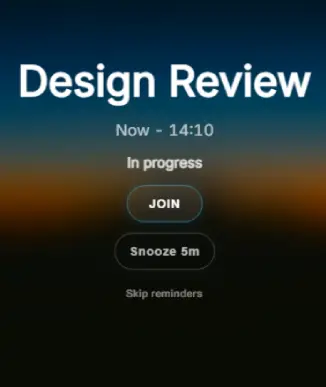
Ahem! takes the whole screen — calm, warm, impossible to miss. Works with your brain, not against it.
Built for focus. Impossible to ignore.
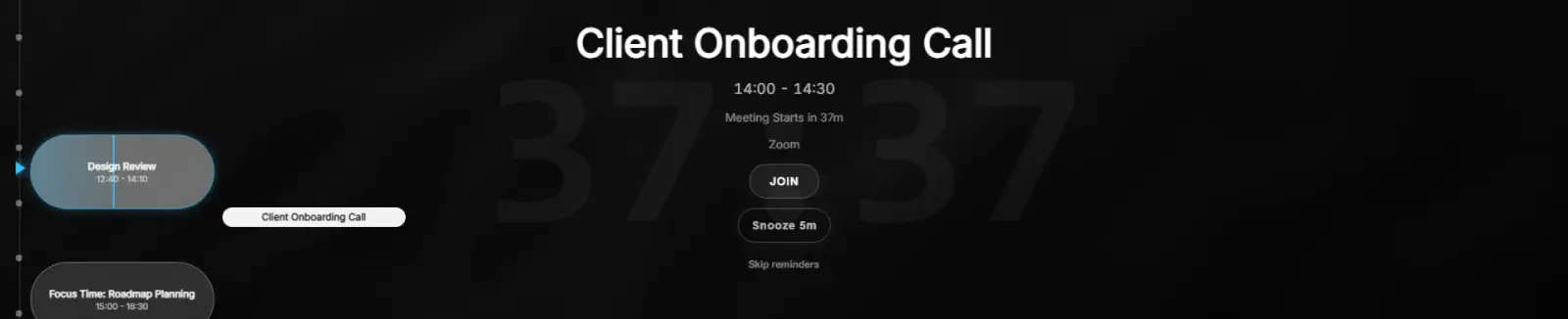
Fullscreen. Countdown. One-click join.
Fullscreen on every display
Semi-transparent reminders appear over any app — presentations, IDEs, browsers, even games. Native ultrawide support, from a laptop panel to a 49″ monitor.
Countdown timers you can feel
Fires at 10, 5, and 1 minute by default — every threshold is customizable. Built for remote work, so you're never caught off-guard mid-Slack.
One-click join, 30+ services
Ahem! detects meeting links for Zoom, Teams, Google Meet, Webex, and 30+ other services. Join straight from the overlay — no hunting through email.
Plus: global agenda hotkey, multi-calendar views, high-contrast mode, snooze & dismiss, and more.
Your whole day, one glance.
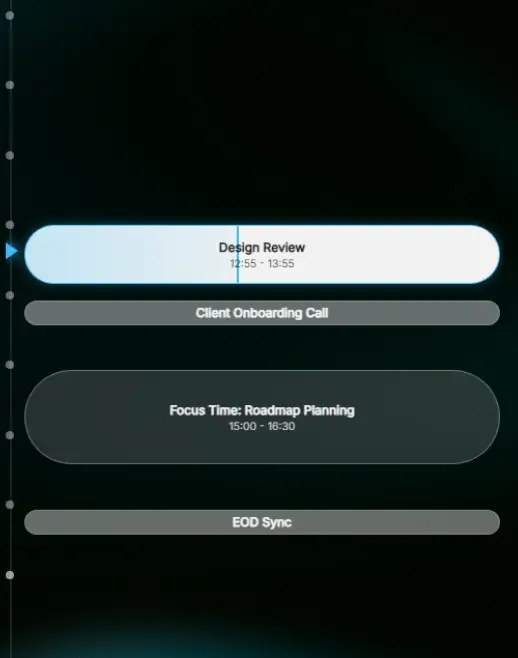
Your next meeting takes center stage — the rest of the day stays in view, without ever leaving your current task.
Center-stage focus — name, platform, attendees, live countdown.
Full-day sidebar — past and future events stay visible.
Split calendar view — work and personal, side by side.
Current-time notch — a live marker shows exactly where you are.
Working hours & day navigation — set your window, browse freely.
No cloud. No account. No idea who you are.
Ahem! has no servers. Your calendar never leaves your machine — that's not a policy, it's the architecture.
Read-only access
Ahem! can see your events, never change them.
Tokens in the OS keychain
OAuth credentials live in Windows Credential Manager, never on disk in plain text.
Everything stays local
Events are cached on your machine so reminders work even offline.
Zero telemetry
No analytics, no crash reports, no tracking of any kind.
Pay once. Own it forever.
No subscription maths, no upsells. Less than a coffee, and it never asks again.
Everything included. Forever.
- No subscriptions, no recurring fees
- Free updates included
- Windows 10 & 11 · ~15 MB install
- No account required
No purchase available yet. $5.99 one-time at launch — no subscription, no recurring charges. Also planned for the Microsoft Store.
Made for people who really focus
- ADHD & neurodivergent folks who lose track of time
- Remote workers and WFH professionals
- Deep-focus workers: devs, designers, writers
- People juggling multiple calendars
- Ultrawide and multi-monitor power users
- Anyone who's missed a meeting they knew about
Under the hood
- Windows 10 & 11 · ~15 MB install
- Google Calendar & Outlook / Microsoft 365
- Unlimited accounts and calendars
- All data stored locally — nothing leaves your machine
- OAuth tokens secured in the OS keychain
- One-time purchase · free updates forever
Frequently asked questions
Is this like In Your Face, but for Windows?
Yes — the same idea, natively on Windows 10 and 11. No Mac required, no workarounds.
Does it require a subscription?
No. One-time purchase of $5.99. Pay once, own it forever, free updates included.
Which calendars are supported?
Google Calendar and Outlook / Microsoft 365, with unlimited accounts and calendars.
What happens to my calendar data?
It stays on your machine. Ahem! has no servers — events are fetched directly from Google or Microsoft and cached locally. Read the privacy policy for the full picture.
Will it interrupt me mid-presentation?
The overlay is semi-transparent, and Esc dismisses it instantly. Reminders fire at 10, 5, and 1 minute by default — fully customizable.